

Category: Wi-Fi Tips
Introduction:
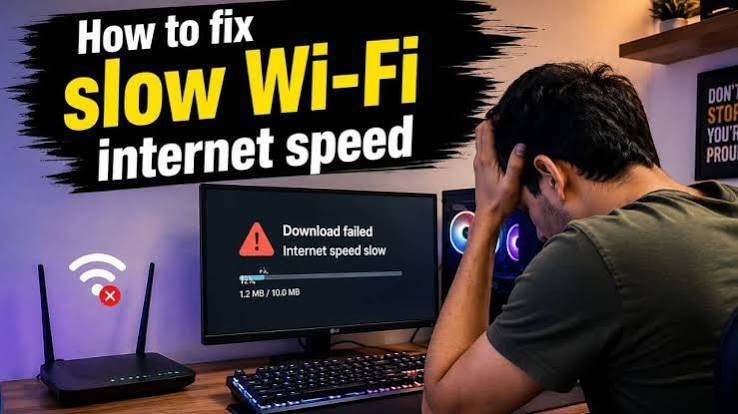
A slow Wi-Fi connection can be frustrating, especially when webpages take too long to load, videos keep buffering, or online meetings constantly freeze. Before calling your internet provider, there are several simple things you can check yourself.
In many cases, the problem isn't your internet plan at all. It could be your router location, too many connected devices, interference, or an outdated router.
1. Restart Your Router
The simplest solution is often the most effective.
Turn off your router and modem, wait about 30 seconds, and then turn them back on. This gives the devices a chance to reconnect to your internet provider and can clear temporary network problems.
If your Wi-Fi becomes faster after restarting, but the problem keeps returning, your router may need further investigation.
2. Check How Many Devices Are Connected
Every device connected to your Wi-Fi uses some portion of your available bandwidth.
Phones, laptops, smart TVs, CCTV cameras, gaming consoles, and smart home devices can all consume bandwidth—even when you're not actively using them.
Check your router's connected-device list and disconnect devices that you don't recognize or no longer use.
3. Move Your Router to a Better Location
Router placement can make a surprisingly big difference.
Avoid placing your router:
- Inside a cabinet
- Behind a television
- Near thick concrete walls
- Next to large metal objects
- Near microwaves or other sources of interference
For better coverage, place the router in an open and relatively central location in your home.
4. Switch Between 2.4 GHz and 5 GHz
Modern routers commonly provide both 2.4 GHz and 5 GHz Wi-Fi networks.
The 2.4 GHz band generally provides better range and can pass through walls more easily, while 5 GHz can provide higher speeds at shorter distances.
If you're close to the router, try connecting to 5 GHz. If you're far away or separated by several walls, 2.4 GHz may provide a more stable connection.
5. Test Your Internet Speed
Run an internet speed test from a device connected to your Wi-Fi.
Compare the result with the download and upload speeds included in your internet plan.
If your wired connection is fast but Wi-Fi is slow, the problem is likely related to your wireless network rather than your internet connection.
6. Update Your Router

Router manufacturers periodically release firmware updates that can improve performance, security, and stability.
Log in to your router's administration panel and check whether a firmware update is available.
Nearby wireless networks can sometimes interfere with each other, especially in apartments or areas with many homes close together.
Your router may automatically select a channel, but some routers allow you to manually change the Wi-Fi channel.
For 2.4 GHz networks, channels 1, 6, and 11 are commonly used because they are non-overlapping choices.
If your router is several years old and struggles with multiple devices, upgrading to a newer Wi-Fi standard may also improve your experience.
7. Check for Wi-Fi Interference
Nearby wireless networks can sometimes interfere with each other, especially in apartments or areas with many homes close together.
Your router may automatically select a channel, but some routers allow you to manually change the Wi-Fi channel.
For 2.4 GHz networks, channels 1, 6, and 11 are commonly used because they are non-overlapping choices.
When Should You Contact Your Internet Provider?
If you've restarted your router, tested different devices, checked your Wi-Fi signal, and still experience slow speeds, the problem may be outside your home.
Contact your internet provider if:
- Your wired connection is also slow.
- Internet disconnects frequently.
- Your modem shows unusual warning or error lights.
- The connection becomes slow at all times.
- Your provider is experiencing an outage.
Final Thoughts
A slow Wi-Fi connection doesn't always mean you need a faster internet plan. Start with the basics: restart your router, check connected devices, improve router placement, test both Wi-Fi bands, and run a speed test.
A few simple checks can often turn a frustrating Wi-Fi connection into a much faster and more reliable one.